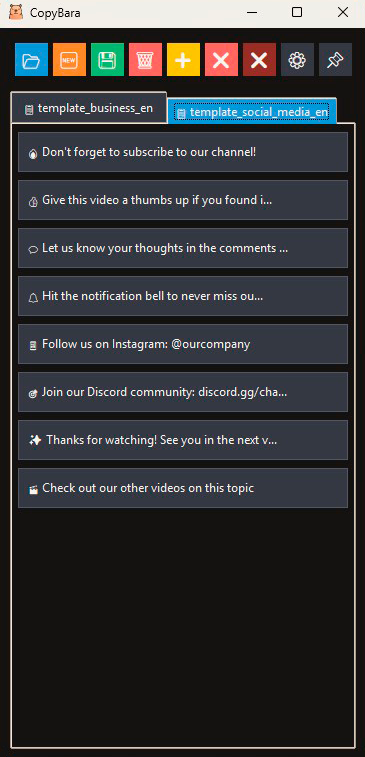
CopyBara
CopyBara — quick text copying tool. Create buttons with frequently used phrases and copy them to clipboard with one click. Perfect for email templates, standard responses, or any repetitive text.
Main features
• Creating and editing templates with text
• One-click text copying to clipboard
• Color labels for button organization
• Drag and drop button reordering
• Multi-language support (English/Russian)
• Always-on-top window pinning
• Text editing hotkeys
• Automatic session saving
• Context menu for button management
• Save to files for sharing with colleagues
Operating system
• Windows
Use cases
• Email templates and responses
• Standard text blocks
• Frequently used phrases
• Code snippets
• Contact information
• Any repetitive text
How to install the program
This independent project doesn't use a paid Microsoft certificate, so Windows may show a warning on first launch. The file is completely safe and malware-free. To run the app, follow these quick steps:
1. Download CopyBara_Setup.exe
2. Right-click the file and open "Properties"
3. At the bottom of the "General" tab, check "Unblock" and click "OK"

The app is free, but you can support the developer:


